
Giving work to agents
Assign a task
Section titled “Assign a task”Any of these works — they all set the task’s Assignee:
- On the Team page: + Assign ▾ on a backlog card, or drag the card onto an agent’s tile.
- In Polarion: set the task’s assignee to the agent’s user, e.g. Atlas (Requirements agent).
- Create a new task: + on the Backlog column.
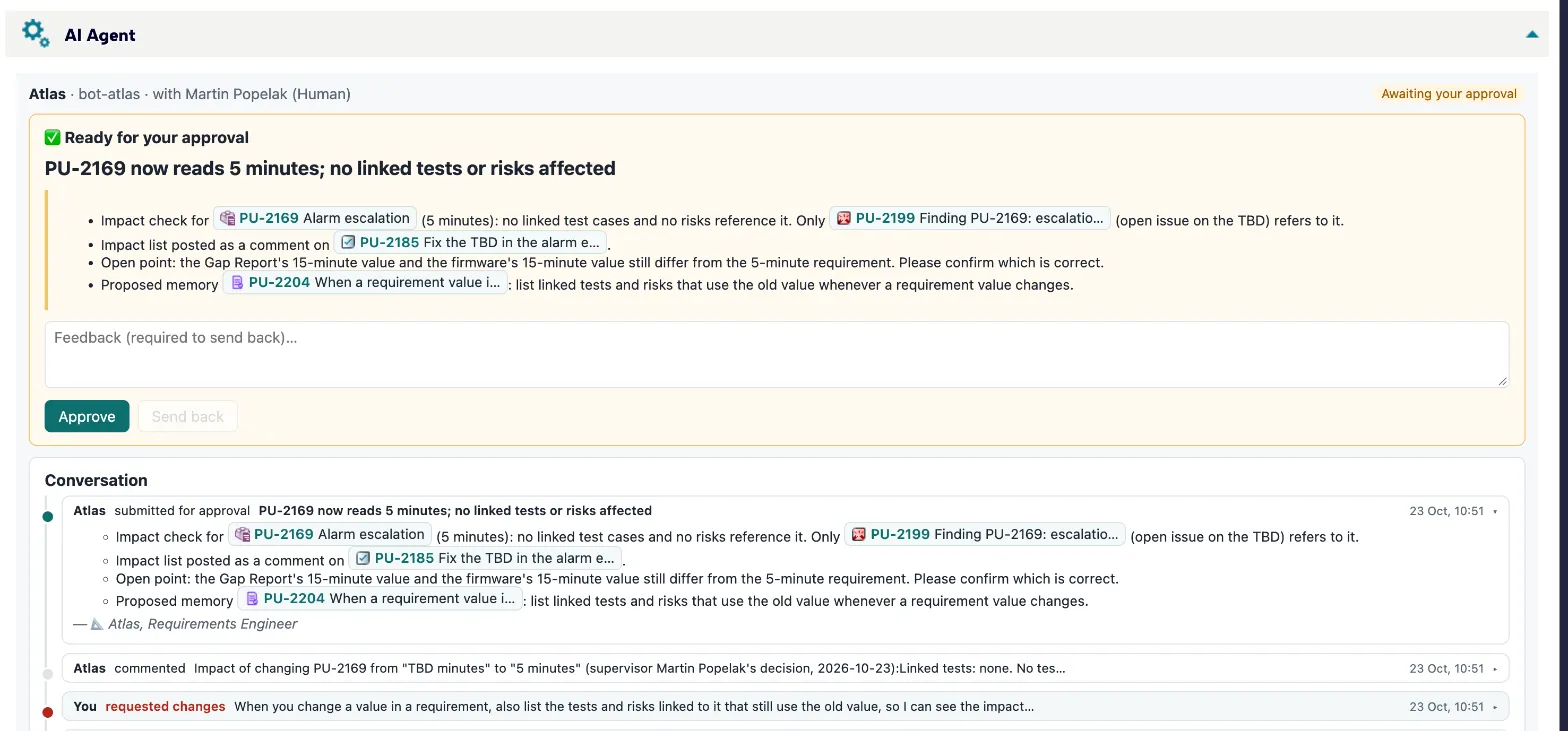
The agent starts within seconds. You can follow it live in Activity or in the task’s AI Agent panel.
Write a good task
Section titled “Write a good task”Agents read the task title, description, links and comments. A few habits help a lot:
- Say what “done” looks like. “Complete the Occlusion chapter of Requirements/SysRS: every requirement with a threshold and a time, linked to its hazard.”
- Point to the source. Name the document, the work items or the repository.
- State limits. “Don’t change approved requirements.” “Write the report as a document in the Planning space.”
- Link related items. Links are part of what the agent reads.
Talk to the agent
Section titled “Talk to the agent”Comment on the task. A new comment from you wakes the agent; it reads it and continues. Mention values, decisions or corrections directly in the comment.
Delegation
Section titled “Delegation”sequenceDiagram autonumber participant You participant Mira as Mira (manager) participant Atlas participant Tess You->>Mira: request Mira->>Atlas: sub-task: requirements Mira->>Tess: sub-task: tests Atlas-->>Mira: question Mira-->>Atlas: answer (or asks you) Atlas-->>Mira: submits Tess-->>Mira: submits Note over Mira: reviews both sub-tasks Mira-->>You: one summary for approval
A manager agent (e.g. Mira, Project Manager) can split a request into sub-tasks for specialists — Atlas for requirements, Tess for tests, Sol for risks. Sub-tasks are ordinary tasks linked to the parent.
- The delegating agent reviews its sub-tasks first and answers their questions when it can.
- Anything it cannot decide comes to you.
- You can always Step in yourself on a sub-task.
- To avoid endless back-and-forth, an agent sends a sub-task back at most twice before involving you.
When an agent stops
Section titled “When an agent stops”If an agent ends a run without finishing, submitting or asking, it gets one automatic nudge. If it stops again, the task comes to Needs you with a short note — read its last steps and answer, or take the task over.